Verified AA Browser 1.3 APK details
The official file is AABrowser-1.3.apk, published under the v1.3 tag by the kododake/AABrowser repository.
The minimum Android value comes from the app/build.gradle.kts file at tag v1.3. The SHA-256 digest, file size, asset name, and published date come from GitHub's release metadata. Check all of them if a downloaded copy arrived through any path other than the release button above.
AA Browser Wiki is not the developer and does not claim this older release is the best choice. It provides the direct first-party file because searches for “AA Browser 1.3 APK download old version” otherwise lead users toward reposted packages whose build history is difficult to verify.
| Field | Verified value |
|---|---|
| Release | v1.3 |
| Published | January 20, 2026 at 12:39 UTC |
| Filename | AABrowser-1.3.apk |
| File size | 4,178,148 bytes (about 3.98 MiB) |
| Package | com.kododake.aabrowser |
| Minimum SDK | API 29 / Android 10 |
| Target SDK | API 36 |
| SHA-256 | e829de155656292de510a6c584a8a75ccbcebe0b35a7d3ccb8160fc3222f132e |
Why users still look for AA Browser 1.3
AA Browser 2.2 requires Android 15 because its current minimum SDK is API 35. Android 14 and earlier cannot satisfy that installer requirement. In contrast, AA Browser 1.3 declared API 29, corresponding to Android 10. That difference creates a real old-version use case: a phone may be too old for the current build but technically eligible to install 1.3.
Eligibility is not the same as guaranteed operation. Android Auto changes independently of AA Browser, vehicle head units vary, and a release from January 2026 does not include later changes. If 1.3 installs but does not appear, first confirm that Android Auto Developer Settings are unlocked and Unknown sources is enabled. If it appears but does not start, the official README's current troubleshooting suggestion is to open a non-Google Maps navigation app, such as Waze, before launching AA Browser.
Use the old version only when the operating-system requirement is the actual blocker. If your phone already runs Android 15, version 2.2 is the more current baseline and includes subsequent feature, dependency, interface, privacy-control, and security-dialog work.
Version 1.3 may install because its minimum is Android 10, but this site cannot promise compatibility with every Android 14 phone, Android Auto version, or vehicle.
What changed in AA Browser 1.3
Version 1.3 also introduced a simple usage counter. The developer's notes say it counted app opens and the app version using a random identifier, without tracking visited URLs, IP address, or device ID. Because the project is open source, users can inspect the code associated with the tag rather than relying only on a marketing claim.
Major UI overhaul
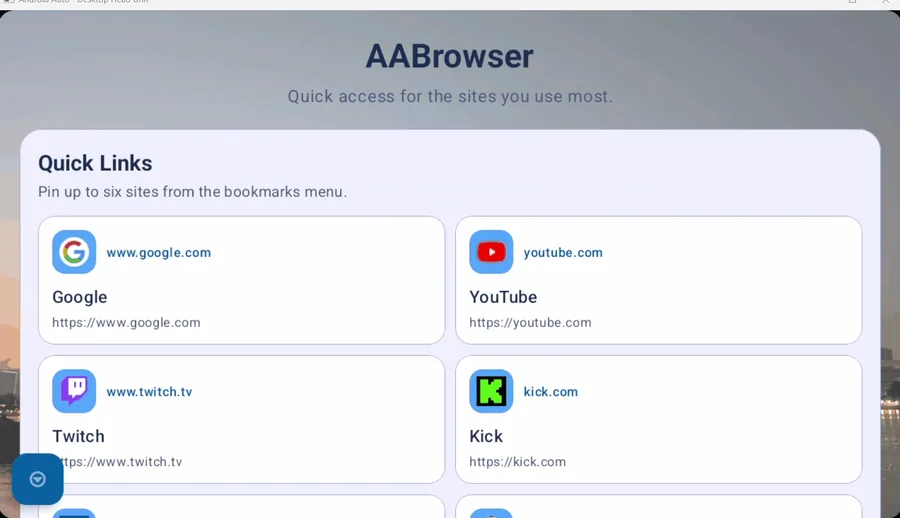
The developer credited contributor cmacrowther for a more modern interface and support for vertical head units.
QR code sharing
Version 1.3 added the ability to display a QR code so a URL can be transferred more easily to another device.
Settings and user agent
A settings page arrived with a user-agent selection control, helping users request different site presentations.
Website fixes and libraries
The release notes mention fixes for sites that failed to open and updates to underlying libraries.
What AA Browser 1.3 does not include
Later release notes document meaningful features and maintenance that did not exist in 1.3.
This does not make 1.3 unusable, but it gives the downgrade a cost. Treat the APK as a compatibility fallback for older Android, not as a “classic” edition that is inherently more private, secure, or stable. No file on this site is described as malware-scanned because AA Browser Wiki has not commissioned an independent malware assessment. The verifiable claims here are source, release identity, package configuration, digest, size, and published notes.
- Version 1.5 added bookmarking through Android's Share menu, stronger insecure-HTTP warnings, and library updates.
- Version 1.6 added microphone support, controls for deleting cookies, and controls for revoking microphone permissions.
- Version 2.0 introduced the redesigned start page, real tabs, saved favicons, theme improvements, display scaling, and background-image stability work.
- Version 2.2 added drag-and-drop reordering, refreshed settings and update states, modernized certificate dialogs and APIs, and further dependency and memory work.
How to install AA Browser 1.3
- 1
Download the official v1.3 asset
Use the button above or open the v1.3 Release. Confirm the filename and size.
- 2
Allow this installer source
When Android asks, allow the browser or file manager you used to install unknown apps. Do not grant this permission broadly to unrelated apps.
- 3
Install and review prompts
Open the APK, check the package prompt, and finish installation. You can revoke the installer-source permission afterward.
- 4
Enable Android Auto Unknown sources
Unlock Android Auto Developer Settings by tapping its Version section ten times, then use the three-dot menu to enable Unknown sources.
- 5
Test only while parked
Connect to the head unit and confirm the app appears. Complete all troubleshooting while safely parked; never work through launcher or browser steps while driving.
How to move from AA Browser 1.3 to a current release
If the phone later moves to Android 15 or newer, review the AA Browser version history and install the current official release from GitHub. The project also recommends Obtainium for release tracking. Before replacing an old build, note any bookmarks, start-page choices, permissions, or settings you may need to recreate.
Do not download a file labeled “AA Browser 2.0 for iPhone.” APK files are Android packages, and the official repository publishes no iOS application. Likewise, avoid “mod,” “crack,” or “unlocked” files: they are not part of the verified GitHub release history documented here.
Keep the verified v1.3 filename, byte size, and SHA-256 with your download record. Those three facts make it easier to identify an unchanged archive later and prevent a similarly named repost from being mistaken for the original GitHub asset.
AA Browser 1.3 FAQ
Does AA Browser 1.3 work on Android 14?
Version 1.3 declares Android 10 as its minimum, so Android 14 meets the installer-level requirement. Operation with a particular Android Auto build or vehicle is not guaranteed.
Is AA Browser 1.3 the latest version?
No. The latest verified release is 2.2. Version 1.3 is an official old version published January 20, 2026.
Where can I download AA Browser 1.3 APK?
Download AABrowser-1.3.apk from the official GitHub v1.3 Release.
What is the AA Browser 1.3 APK checksum?
GitHub reports SHA-256 e829de155656292de510a6c584a8a75ccbcebe0b35a7d3ccb8160fc3222f132e.
Should I downgrade from AA Browser 2.2 to 1.3?
Downgrade only for a specific requirement such as older Android compatibility. Version 1.3 lacks later features and maintenance documented in 1.5, 1.6, 2.0, and 2.2.