Can you download a browser for Android Auto?
Yes, AA Browser is an open-source browser designed to run through Android Auto, but it is not a normal Play Store browser and it does not support every Android version.
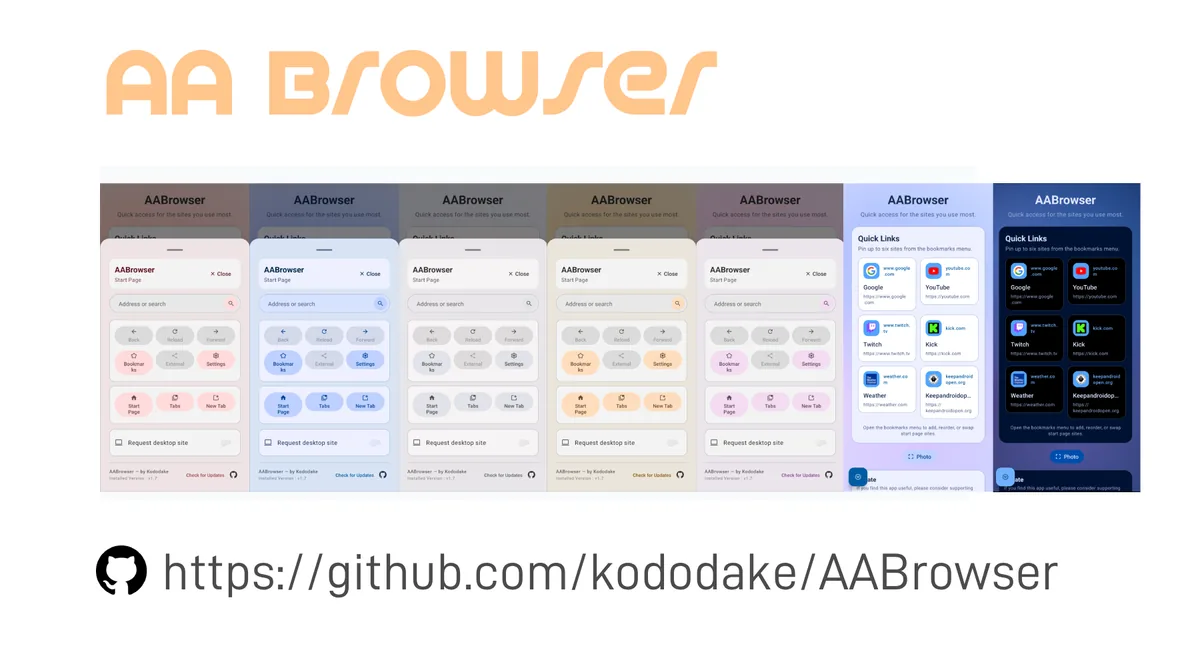
AA Browser uses Android's WebView and declares automotive categories and Android Auto metadata in its manifest. Its interface is designed around a car display, with tabs, bookmarks, quick links, themes, desktop mode, display scaling, and a configurable action button. Those details distinguish it from opening a phone browser through screen mirroring or trying to force a conventional mobile browser into the head unit.
The current app is installed as an APK from the developer's GitHub Releases page. The developer explicitly identifies kododake/AABrowser as the only official source and warns about impersonation sites. AA Browser Wiki therefore redirects downloads to GitHub rather than maintaining a separate APK mirror.
Compatibility begins with the phone, not the vehicle screen. AA Browser 3.0 declares Android 15 / API 35 as its minimum. If the phone runs Android 14, the current installer will not meet the system requirement even if Android Auto itself is installed and working.
AA Browser Android Auto requirements
A compatible phone does not guarantee identical behavior across all head units. Vehicle firmware, display size, Android Auto updates, manufacturer restrictions, and local law can affect what appears or what is allowed. The project's source includes a minimum Car API level and automotive intent categories, but this site cannot convert those declarations into a universal vehicle support list without device-by-device evidence.
Android 15 or later
Version 3.0 sets minSdk = 35. Check the phone's Android version under system settings before downloading.
Working Android Auto
Confirm the phone already connects to the vehicle and that ordinary supported Android Auto apps can launch correctly.
Developer Settings
Unlock Android Auto Developer Settings and enable Unknown sources so a sideloaded automotive app can appear.
Official GitHub APK
Use the exact Release asset, verify the filename and checksum, and avoid modified, cracked, or repackaged copies.
How to set up AA Browser on Android Auto
- 1
Verify the phone's Android version
Open Settings and confirm Android 15 or later for AA Browser 3.0. On Android 14, read the compatibility page before trying an older release.
- 2
Download the release from GitHub
Use the verified AA Browser APK download. The v3.0 file should be named
AABrowser-3.0.apkand contain 11,074,758 bytes. - 3
Install the APK on the phone
Allow the specific browser or file manager to install unknown apps, open the APK, review the installer screen, and finish installation. Revoke the installer permission afterward if desired.
- 4
Unlock Android Auto Developer Settings
Open Android Auto settings on the phone, scroll to the Version section, tap it ten times, and accept the developer-mode confirmation.
- 5
Enable Unknown sources
Open the three-dot menu, choose Developer settings, locate Unknown sources, and turn it on. The exact menu labels can vary slightly by Android Auto version.
- 6
Reconnect and test while parked
Reconnect Android Auto, look for AA Browser in the available app list, and test a simple page only while safely parked. Complete configuration before any trip.
What AA Browser adds to Android Auto
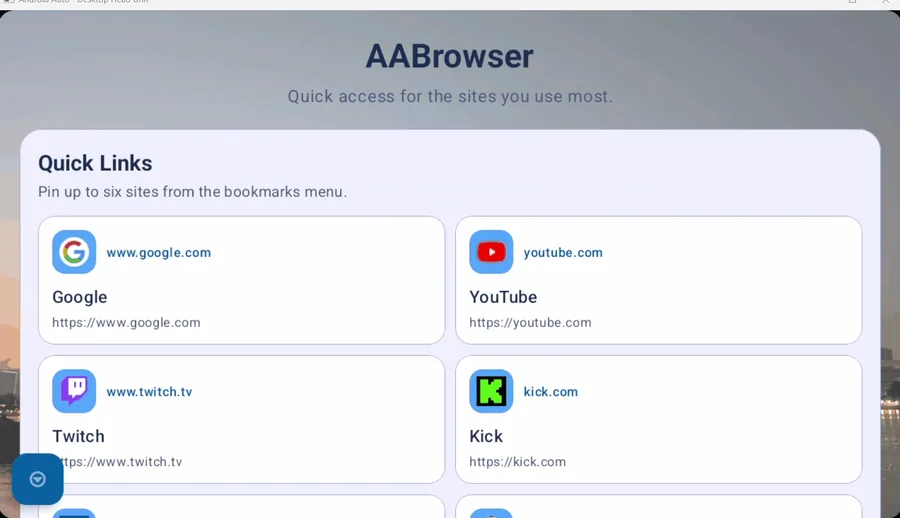
AA Browser's start page can show a custom home page or a dashboard with up to six quick links. It supports real browser tabs, a tab manager, restoring previous tabs, resuming the last page, saved bookmarks, and cached site icons. A persistent URL bar and configurable quick-action button reduce the number of steps needed to move between navigation controls and page content.
Display tools matter on a head unit because screens vary widely. The app offers global scaling, mobile or desktop rendering, light and AMOLED themes, optional page darkening, and custom background images. Version 3.0 adds a fullscreen toggle, Material 3 Expressive UI, updated libraries, and improved controls for car displays.
The project also describes fullscreen playback with Widevine L3 limitations, but media capability is not permission to watch while driving. Streaming services can apply their own DRM, account, region, and playback restrictions. AA Browser has no ad blocker according to the current README.
The developer tells drivers not to look at the app while steering. Use AA Browser only while safely parked or when a passenger controls the screen, and follow local law.
AA Browser not showing or not starting in Android Auto
Restarting the phone, reconnecting Android Auto, and confirming the current app version are reasonable low-risk checks. Do not repeatedly install random APK variants to solve a launcher problem. If the issue is reproducible on the official release, search the project's Issues and open a report with phone model, Android version, Android Auto version, vehicle/head-unit information, release number, and exact steps. Avoid sharing personal browsing data or account details in a public issue.
| Symptom | Check first | Why it matters |
|---|---|---|
| APK will not install | Android version | AA Browser 3.0 requires Android 15 / API 35. |
| App is installed but absent | Android Auto Unknown sources | Sideloaded automotive apps may remain hidden when the option is disabled. |
| App appears but does not start | Open another navigation app first | The official README suggests opening a non-Google Maps navigation app such as Waze, then AA Browser. |
| Page fails to open | Network, certificate and site behavior | WebView, HTTPS errors, DRM and the destination website can each affect loading. |
| Layout looks wrong | Display scale and desktop mode | Head-unit dimensions and site rendering mode can change how controls fit. |
Limits of a browser for Android Auto
These limits are useful because broad searches such as “browser for Android Auto” often mix AA Browser with AAAD, AA Store, CarTube, screen mirroring, video apps, and wireless adapters. They are separate products and workflows. This site keeps its core pages focused on AA Browser rather than turning adjacent Android Auto utilities into unverified download recommendations.
- AA Browser 3.0 is not compatible with Android 14 because the current APK requires Android 15.
- The app is not an iPhone browser; APK files cannot be installed on iOS.
- The official README says ad blocking is not currently implemented.
- Widevine support is limited to L3, and individual streaming sites can still block or restrict playback.
- A declared automotive app category does not establish support for every vehicle or third-party head unit.
- Availability of an interface does not override traffic law, vehicle restrictions, or the duty to drive without distraction.
AA Browser Android Auto FAQ
Is AA Browser made for Android Auto?
Yes. Its repository describes it as an Android Auto WebView browser, and its manifest declares automotive categories and Android Auto metadata.
What Android version does AA Browser require?
AA Browser 3.0 requires Android 15 / API 35 or later. Version 1.3 declared Android 10 / API 29.
Why does AA Browser not appear in Android Auto?
Confirm the APK installed successfully, unlock Android Auto Developer Settings, and enable Unknown sources. Reconnect Android Auto after changing the setting.
Can AA Browser play videos?
The project describes fullscreen media and Widevine L3 support, but websites and DRM can impose additional restrictions. Video must never be watched by the driver while the vehicle is moving.
Is AA Browser on Google Play?
The verified distribution path documented by the developer is GitHub Releases, with Obtainium recommended as an optional update method.
Can I use Brave or another normal browser in Android Auto?
Normal phone browsers are not automatically Android Auto apps. AA Browser is specifically structured for the automotive environment; this guide does not recommend bypassing platform or safety restrictions for other browsers.
How do I get a browser in Android Auto?
Use a purpose-built automotive browser such as AA Browser: install the official APK on a compatible phone, enable Unknown sources in Android Auto Developer settings when needed, reconnect, and test only while parked.