
Which AA Browser APK version is latest?
AA Browser 2.2 is the latest non-prerelease version verified from the official repository on August 12, 2026.
Release 2.2 was published on June 13, 2026. Its GitHub asset is AABrowser-2.2.apk, sized 6,763,349 bytes, with SHA-256 0b7d800f081e0f785a6a89f33d46c5baea697cd0b6e0750ef86d950ec5f85d40. The current source sets versionName = 2.2, package ID com.kododake.aabrowser, and minSdk = 35.
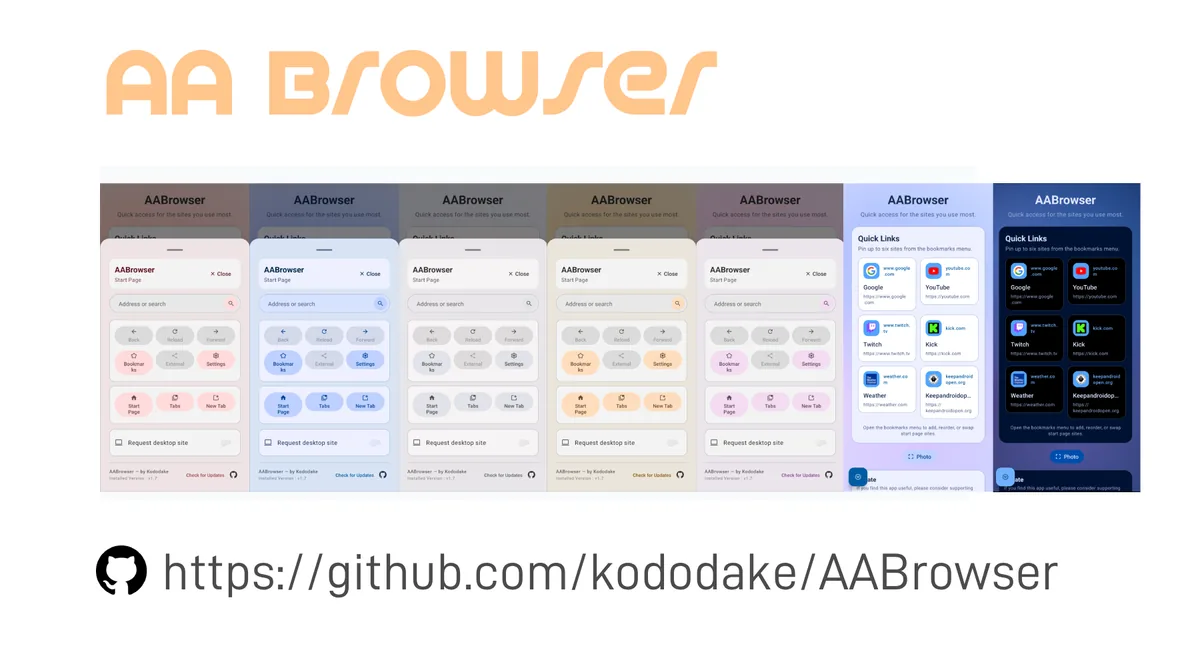
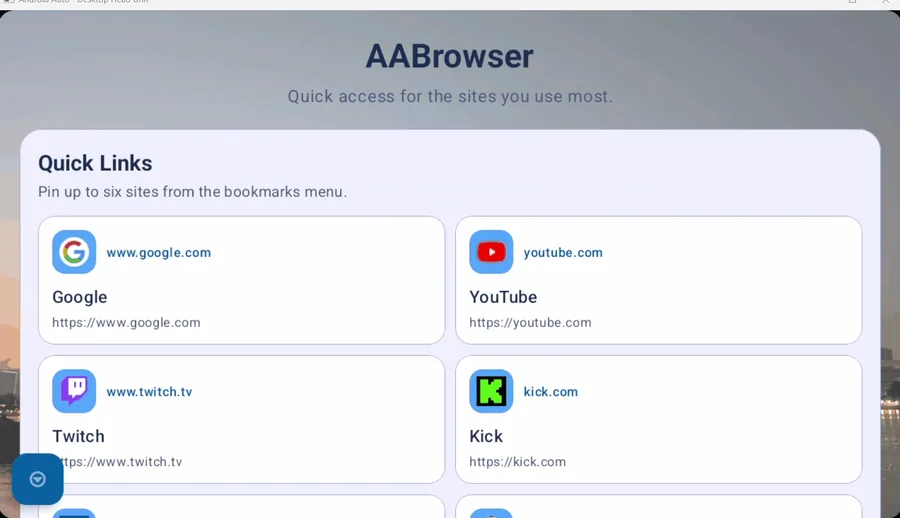
Choose 2.2 when the phone running Android Auto has Android 15 or later. It includes the current interface, drag-and-drop organization for Quick Access, bookmarks and tabs, a redesigned settings view, more explicit update states, modernized certificate dialogs, dependency updates, and memory-handling improvements. The homepage download panel links directly to this official GitHub asset after a 15-second verification countdown.
The current version requires Android 15. If your phone runs Android 14, the installer requirement is the first issue to resolve; see the Android 14 compatibility page.
AA Browser version history table
Every row below maps to a real release created by the repository owner. File sizes and dates were retrieved from GitHub, not copied from an APK mirror.
A version table answers only part of the decision. Android compatibility, release age, later security-related changes, and the features your setup needs all matter. GitHub download counts can show interest, but they do not prove that a release works with your phone, vehicle, Android Auto build, or local restrictions.
| Version | Published | APK | Size | Key context |
|---|---|---|---|---|
| 2.2 | Jun 13, 2026 | AABrowser-2.2.apk | 6,763,349 bytes | Current release; Android 15+ |
| 2.0 | Apr 13, 2026 | AABrowser-2.0.apk | 6,370,463 bytes | Major start page, tabs and theme update |
| 1.6 | Mar 9, 2026 | AABrowser-1.6.apk | 6,194,052 bytes | Microphone support and data controls |
| 1.5 | Mar 3, 2026 | AABrowser-1.5.apk | 6,132,098 bytes | Bookmark sharing and HTTP warnings |
| 1.3 | Jan 20, 2026 | AABrowser-1.3.apk | 4,178,148 bytes | Android 10+ declared; vertical head-unit UI |
| 1.2 | Dec 19, 2025 | AABrowser-1.2.apk | 14,427,558 bytes | Dark mode, update checker and new icon |
| beta 1.1 | Oct 10, 2025 | app-release.apk | 14,366,185 bytes | Initial public beta release |
How to Compare AA Browser APK Versions
Compare AA Browser APK versions by Android requirement, release date, verified file identity, and the features added after each release. The newest compatible build is usually a better starting point than the oldest file that will install.
Do not downgrade solely because AA Browser is missing from the launcher. A launcher problem can come from Android Auto Developer Settings, the Unknown sources option, the phone's Android version, or an app-start issue. Work through the installation guide and Android Auto setup before assuming that a different APK version is the solution.
If you do choose an old version, disable any assumption that it is automatically safer because it is smaller or older. Version 1.5 added stronger warnings for insecure HTTP content; 1.6 added permission and cookie controls; 2.2 modernized security dialogs and dependencies. An old build may solve a minimum-Android constraint while losing changes that arrived later.
A repeatable comparison starts with the phone's Android version, then checks the release tag, asset filename, byte size, and SHA-256 against GitHub. Next, read every change published between the candidate release and version 2.2. This exposes missing privacy controls, interface changes, dependency work, and security-dialog updates instead of reducing the decision to file size. Compare AA Browser APK versions against one specific device and failure stage: installation, launcher visibility, app startup, or website loading. Switching versions cannot solve every stage, so record the result before changing another setting.
Use 2.2 on Android 15+
Start with the current release when your phone meets API 35. You receive the latest published features and maintenance changes from the project.
Consider 1.3 only for older Android
Version 1.3 declares Android 10 / API 29 as its minimum. That can make installation possible on older systems, but it predates later releases and does not guarantee current Android Auto compatibility.
Use GitHub facts, not mirror labels
Confirm the owner is kododake, the release URL is under /kododake/AABrowser/releases/, and the APK filename and digest match the asset metadata.
Verify an AA Browser APK version
- 1
Open the repository owner page
Start at github.com/kododake/AABrowser. The project README states that this is the only official source.
- 2
Choose a named release
Open Releases and select the exact tag. Avoid an attachment reposted in a forum, cloud drive, short-link service, or unrelated APK catalog.
- 3
Match the asset facts
Confirm filename, byte size, published date, and GitHub-provided SHA-256 digest. These details catch accidental or intentional substitutions.
- 4
Review system requirements
Check the source configuration and release context before installation. Version 2.2 requires Android 15; version 1.3 declared Android 10.
Why AA Browser Wiki does not host an APK mirror
The developer's README contains an unusually direct warning: fake websites have impersonated AA Browser, and the GitHub repository is the only official source. Hosting a second copy on this domain would make it harder for visitors to distinguish the developer's asset from a repackaged file. For that reason, download buttons on AA Browser Wiki wait 15 seconds, show the destination context, and then open the original GitHub Release URL.
This independent site records release metadata to help users make a compatibility decision, but it cannot turn itself into an official distributor by repeating the word official. The official party is the repository owner. The useful role of this site is to explain versions, Android requirements, installation, checksums, and troubleshooting in crawlable pages that all point back to the first-party source.
AA Browser version FAQ
Is AA Browser 2.2 newer than 2.0?
Yes. Version 2.2 was published June 13, 2026, after version 2.0 on April 13, 2026.
Which AA Browser version works on Android 14?
The current 2.2 build requires Android 15. Version 1.3 declared Android 10 as its minimum, but an older minimum SDK does not guarantee compatibility with every present Android Auto setup.
Can I download AA Browser 1.3 from GitHub?
Yes. The official repository still exposes the v1.3 Release and its AABrowser-1.3.apk asset. Use the dedicated version 1.3 page for the verified link and checksum.
Should I install an old AA Browser version?
Prefer the current release when your phone supports it. Consider an old version only for a specific compatibility reason and understand that it lacks later features and maintenance changes.
Why is version 1.2 much larger?
GitHub reports a 14,427,558-byte asset for 1.2 and smaller assets for later releases. File size alone does not explain the build changes or establish quality, so use the release notes and source history instead of guessing.
Where can I download the official AA Browser 2.0 APK?
Open the dedicated AA Browser 2.0 page and use its GitHub Release asset. Check the v2.0 tag, filename, 6,370,463-byte size and SHA-256 before installing; do not use a mirror.