AA Browser not showing in Android Auto: common causes
AA Browser not showing in Android Auto does not identify one single failure. The app can disappear from the car screen because the APK never installed, the phone is below the minimum Android version, Android Auto has not allowed third-party automotive apps, the launcher list has not refreshed, or the problem is actually a driving restriction rather than a missing app.
Use the table before reinstalling anything. It keeps an installation problem from being confused with a launcher, page-loading, or motion-state problem.
The version facts in this guide were rechecked against the official v2.2 GitHub release on September 15, 2026. The stable version has not changed since the site's previous verification.
| What you see | Likely category | First check |
|---|---|---|
| APK installer refuses the file | Android version or package installation | Confirm Android 15+ and use the official v2.2 asset |
| Install succeeds but no AA Browser icon appears | Android Auto discovery or launcher refresh | Enable Unknown sources, reconnect, and review launcher customization |
| Icon appears but the app closes or stays blank | Launch, permission, or WebView issue | Restart the phone, review permissions, and test a simple HTTPS page |
| App works parked but not while moving | Driving-state safety restriction | Use the dedicated driving restriction guide |
| Only one website fails | Website, certificate, DRM, or network issue | Test another HTTPS site before reinstalling AA Browser |
Confirm Android 15 and the official AA Browser APK
AA Browser 2.2 declares minSdk = 35, which corresponds to Android 15. If the phone running Android Auto is on Android 14 or earlier, the current package is not a launcher-visibility problem: it is incompatible before Android Auto can discover it.
Open the phone's Android version screen and confirm the operating system first. Developer mode and Unknown sources do not lower an APK's minimum SDK. If the phone is on Android 14, use the AA Browser Android 14 compatibility guide to compare realistic options instead of repeatedly installing v2.2.
Next confirm that the downloaded file is AABrowser-2.2.apk, 6,763,349 bytes, from kododake/AABrowser. A mirror may use a similar filename without being the same release. The site's GitHub authenticity guide explains owner, release-path, package, and checksum checks.
Verify that AA Browser actually installed on the phone
Android Auto cannot list an app that Android did not finish installing. A downloaded APK in the Files app is not the same as an installed application.
A file advertised as an Android 14 fix, motion bypass, premium unlock, or Play Store edition is not part of the verified v2.2 release. A different package can create new security and compatibility problems.
- 1
Find AA Browser in Android settings
Open Settings, Apps, and search for AA Browser. If no app entry exists, return to the installation guide and complete the APK installer flow.
- 2
Check the installed version
Open the app information screen and confirm version 2.2 when available. If Android reports that the app was not installed, note the exact message instead of assuming Android Auto hid it.
- 3
Allow only the installer you used
When Android requests permission to install unknown apps, grant it only to the browser or file manager opening this APK. Remove that permission afterward if you do not need it.
- 4
Open AA Browser once on the phone
Launch the app directly after installation, review any first-run prompts, then close it. This confirms Android can start the package before the car connection is tested.
Enable Unknown sources in Android Auto Developer Settings
AA Browser is distributed through GitHub rather than Google Play. Android Auto may therefore require its own Unknown sources switch before the installed package becomes eligible for the automotive launcher.
- 1
Open Android Auto settings on the phone
Use the phone settings search if Android Auto does not appear as a normal app icon. Recent Android versions integrate the settings page into the system.
- 2
Unlock developer mode
Scroll to the Android Auto version entry and tap it repeatedly until the developer-mode confirmation appears. Interface wording can differ by phone and Android Auto release.
- 3
Open Developer settings
Use the three-dot menu, choose Developer settings, and locate Unknown sources.
- 4
Enable Unknown sources and reconnect
Turn on the automotive Unknown sources option, disconnect the cable or wireless session, then establish a fresh Android Auto connection while parked.
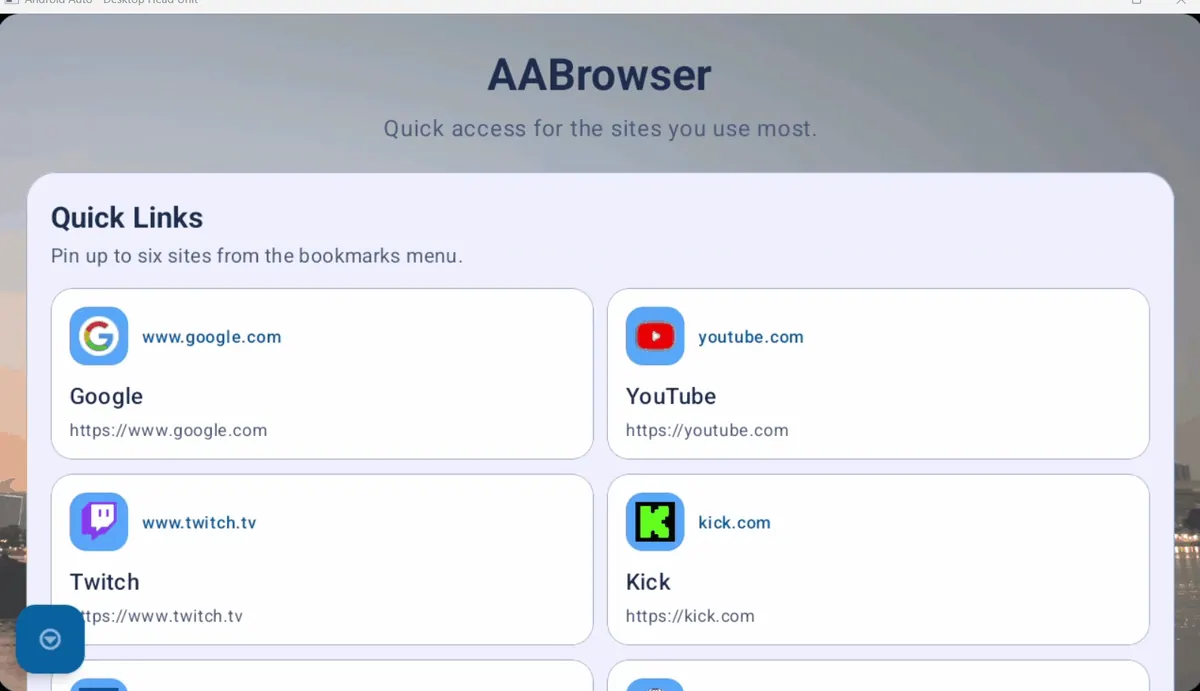
Refresh the Android Auto launcher and app list
After installation or a setting change, an existing car session can keep an older launcher list. Refresh the connection before deciding that AA Browser is still missing.
For general launcher controls and other missing applications, use the broader Add Apps to Android Auto guide. This page stays focused on the AA Browser package and its specific requirements.
- Disconnect Android Auto completely, close AA Browser and Android Auto settings, then reconnect.
- Restart the phone if a normal reconnect does not refresh the launcher.
- Open Android Auto's Customize launcher or app-order screen and confirm AA Browser is not unchecked, hidden, or placed far down the list.
- If the vehicle supports wired and wireless Android Auto, test one stable connection method at a time instead of changing both simultaneously.
- Keep the vehicle parked during every discovery and launch test so motion restrictions do not alter the result.
Check permissions, battery limits, and stale Android Auto state
Update Android Auto through Google Play when an update is available, but do not claim that every launcher issue is fixed by the newest release. Phone firmware, vehicle head unit software, cables, wireless pairing, and vendor customizations can all affect discovery.
Avoid clearing data as the first step. It creates more variables and can erase useful configuration evidence. Change one condition, reconnect, and record what changed.
App permissions
Open AA Browser's app information and review only the permissions needed for the features you plan to use. A denied optional permission should not be treated as proof that the APK is missing.
Battery restrictions
Aggressive background restrictions can interfere with startup or handoff on some phones. Temporarily use the normal optimized setting while testing rather than disabling all battery protections permanently.
Android Auto refresh
Restart the phone and reconnect before clearing storage. If you clear Android Auto storage, expect to reconfigure vehicles, permissions, and launcher preferences.
Reinstall AA Browser cleanly only after the checks above
- 1
Save anything you need
Back up bookmarks or settings if AA Browser currently opens and the app provides a practical way to preserve them.
- 2
Uninstall the existing package
Remove AA Browser through Android settings and restart the phone to clear the old package state.
- 3
Download the verified v2.2 asset
Use the stable direct GitHub asset or its official release page. Confirm filename, byte size, package source, and optional SHA-256 before installing.
- 4
Install, open once, and reconnect
Complete installation, launch AA Browser on the phone, confirm Android Auto Unknown sources, then reconnect while parked and review Customize launcher.
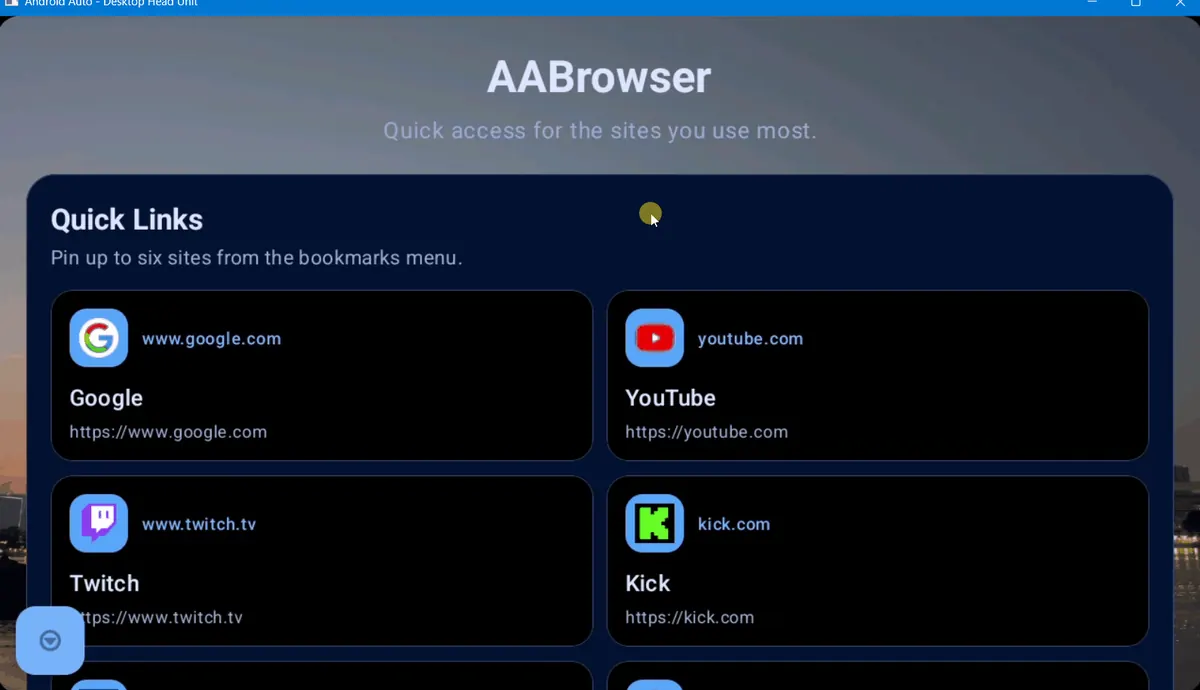
Separate a missing icon from driving and website problems
Once the AA Browser icon appears, stop using launcher fixes for every later symptom. Different stages require different evidence.
If every step passes but AA Browser still does not appear, collect the phone model, Android version, Android Auto version, connection type, AA Browser version, and exact observed stage. Search the official project's GitHub Issues before opening a report, and avoid publishing private vehicle or account data.
| Stage | Question | Correct guide |
|---|---|---|
| Install | Does Android accept and install the APK? | Install AA Browser APK |
| Discover | Does AA Browser appear in the Android Auto launcher? | This missing-app guide |
| Launch | Does the app open while parked? | Permissions, restart, and clean reinstall checks above |
| Browse | Do simple HTTPS pages load? | Test network, certificate, WebView, and site-specific behavior |
| Drive state | Does behavior change only when the vehicle moves? | Not working while driving guide |
AA Browser missing from Android Auto FAQ
Why is AA Browser not showing in Android Auto after installation?
The most common checkpoints are Android 15 compatibility, successful APK installation, Android Auto Developer Settings, the Unknown sources switch, a fresh connection, and Customize launcher. Verify them in that order while parked.
Is AA Browser available on Google Play?
The verified developer distribution path is GitHub Releases, not a normal Google Play listing. That is why Android Auto's Unknown sources setting can matter for discovery.
Will AA Browser 2.2 show on Android 14?
AA Browser 2.2 declares Android 15 / API 35 as its minimum. Android 14 is below that requirement, so the current APK should not be treated as a normal missing-launcher case.
Should I clear Android Auto data?
Use a reconnect and phone restart first. Clearing storage can remove vehicle, permission, and launcher configuration, so reserve it for a later controlled test and expect to set Android Auto up again.
Why does AA Browser appear parked but stop working while driving?
That is a different driving-state and safety symptom. Use the dedicated driving restriction guide rather than repeating launcher-discovery steps.
Where should I download AA Browser if I need to reinstall it?
Use the official kododake/AABrowser v2.2 release page or the verified direct APK link on this page. Do not use a guessed CDN path or an unverified mirror.