Can Android Auto mirror your whole phone screen?
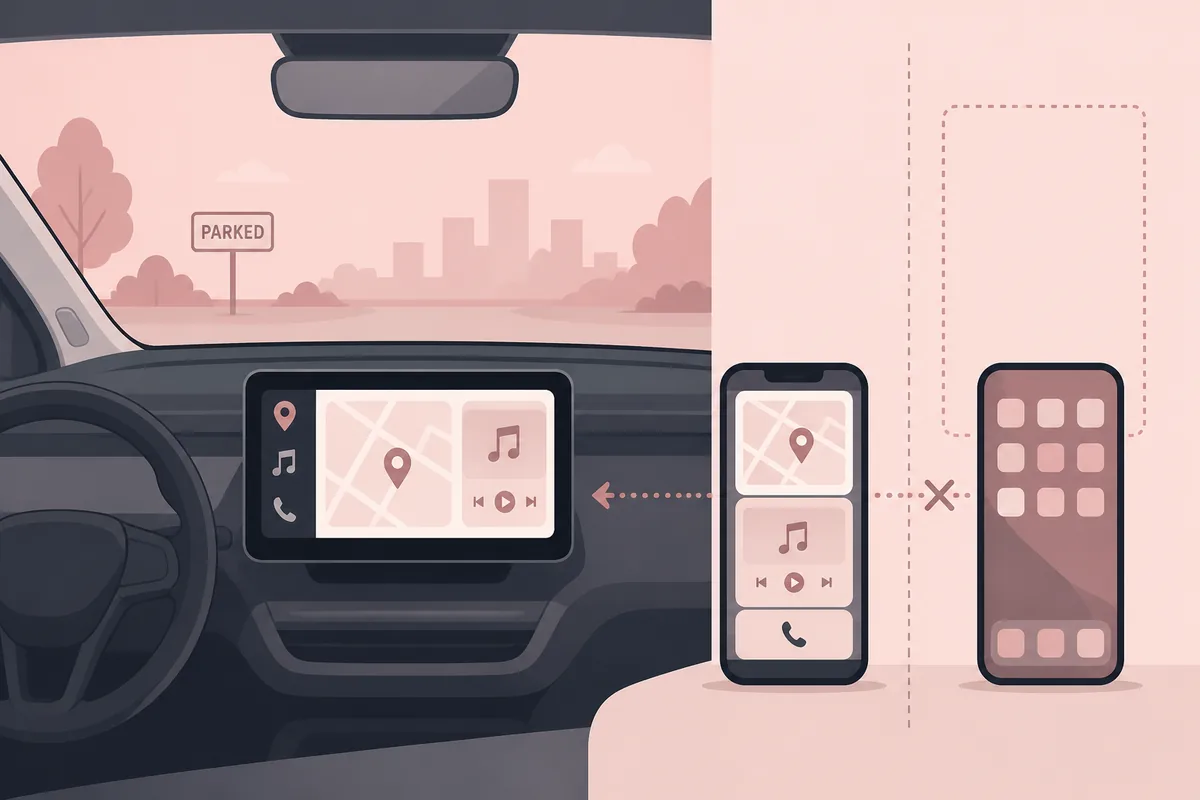
Usually, no—not as a general Android Auto setting. The result depends on which layer is providing the display experience.
If you connect a phone to standard Android Auto, expect a car-friendly experience from supported apps rather than a live copy of every phone screen. Navigation, audio, calls, messaging and other approved categories can expose their own controls and screens. A phone app that works on the handset does not automatically become a full-screen car app.
The phrase screen mirror Android Auto mixes several different requests: showing a compatible app, casting a video, mirroring the entire phone, using a wireless adapter with its own feature, or installing a third-party automotive app. These are not interchangeable. Before you change settings, decide whether you need a navigation or media app, a static cast, a full mirror, or a browser designed for a car display.
Google's Android for Cars documentation describes projected and built-in car experiences, and its parked-app guidance limits what apps can expose while a vehicle is stationary. That model is different from unrestricted phone mirroring. It is also why a Developer settings toggle cannot turn any ordinary mobile app into a supported Android Auto experience.
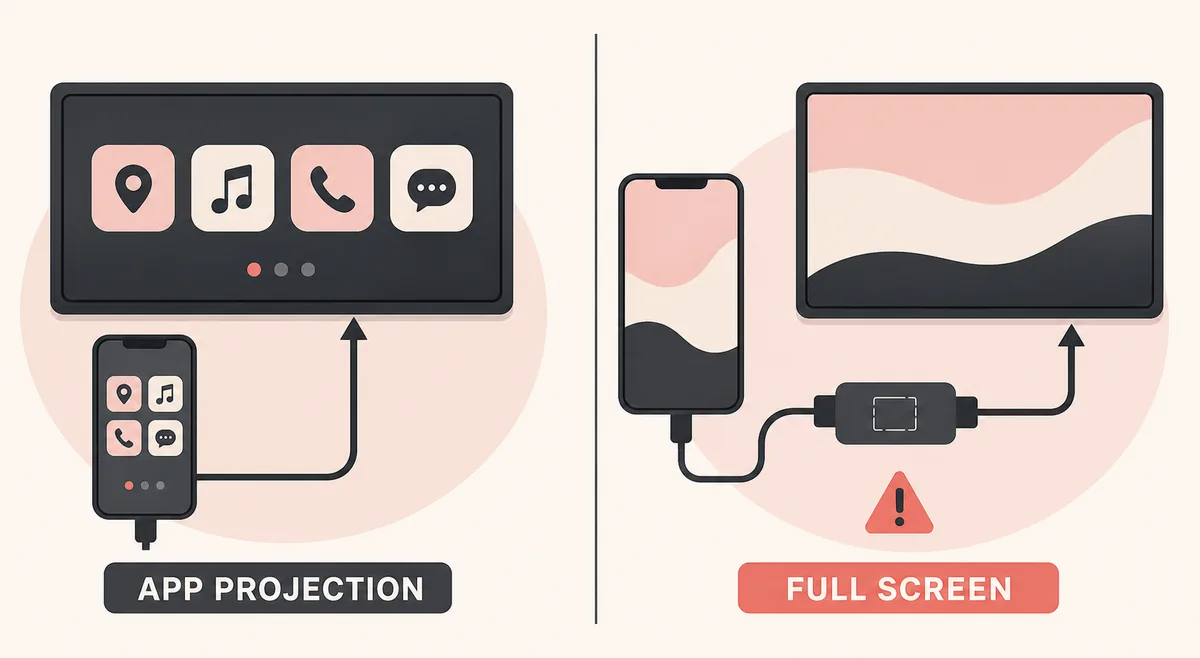
Screen mirror, cast, and app projection are different
Start with the display path, not the name of a tool. This simple boundary prevents most wrong fixes.
A useful mental model is that Android Auto transports an eligible app experience, not the entire phone session. A separate adapter may advertise mirroring, but that adapter is then the product you need to evaluate: check its supported phones, connection modes, latency, touch behavior, firmware and return policy. Do not assume that the word Android Auto in an adapter listing means Google has certified every feature in the listing.
Android Automotive OS is another separate layer. It is built into some vehicles, while Android Auto is normally a phone-to-car projection. A guide or product that works on Android Automotive OS may not work through Android Auto, and a car display's built-in mirroring feature may not be controlled by Android Auto at all.
| Display path | What appears on the car screen | Typical dependency | What it does not guarantee |
|---|---|---|---|
| App projection | One supported app's car layout | Android Auto support and app declarations | A copy of every phone screen |
| Casting | A selected media stream or presentation | Receiver, protocol, network or adapter support | Full touch control of the phone |
| Full-screen mirroring | The phone's broader display output | Head unit, adapter, cable or third-party tool | Official Android Auto compatibility |
| AA Browser | A dedicated automotive browser experience | Compatible APK, Android version and Android Auto discovery | Mirroring the phone's home screen or other apps |
Which screen and app paths are realistic?
Use the least complicated path that satisfies the task. More control usually means more device-specific limitations.
The official Android Auto help and Android for Cars documentation are the right starting points for supported app behavior. If a product page promises every phone app on every car, treat that as a marketing claim until you can match it to the exact vehicle, adapter and phone combination. A low difficulty keyword does not make a technical workaround reliable.
For this site, the most important distinction is between a verified AA Browser APK and a mirroring utility. The official kododake/AABrowser repository publishes AA Browser as its own automotive app. It does not turn the APK into a screen-mirroring package, and enabling Android Auto Developer settings does not change that product boundary.
If the goal is one app, use the app's Android Auto support. If the goal is the whole phone, evaluate the head unit or adapter that explicitly provides mirroring, with its own restrictions and parked-use rules.
- For navigation, audio, calls and messages, choose an app that explicitly supports Android Auto and configure it through the phone's Android Auto launcher settings.
- For a parked video or presentation, check whether the vehicle, Android version, app category and rollout support the experience. A browser page or an adapter feature is not the same as official YouTube or a supported parked app.
- For full-screen mirroring, verify the exact head unit or adapter documentation. Look for supported Android versions, cable or wireless requirements, touch-back support, audio routing, latency and whether the feature works only while parked.
- For AA Browser, treat it as a dedicated automotive browser. It can open web pages on a compatible car display, but it does not mirror your phone's home screen, notifications or other apps.
How to check a screen-mirroring setup without guessing
This sequence is deliberately slower than downloading a random mirroring APK, but it leaves you with evidence. Keep the phone model, Android version, head-unit model, adapter firmware, cable or wireless mode, and exact failure stage. Those details are more useful than a screenshot of an unknown tool's advertisement.
If a setup requires bypassing motion restrictions, hiding a package, or installing a modified APK, treat that as a separate risk decision rather than a normal Android Auto feature. This site does not recommend cracked, patched, re-signed or unverified packages.
- 1
Name the exact output
Write down whether you need one app, a video stream, a phone screen, touch-back control, or only a browser. A vague goal makes every compatibility result look contradictory.
- 2
Identify the display layer
Record the vehicle, head unit, wireless adapter, connection type and Android Auto or Android Automotive mode. The same phone can behave differently across two displays.
- 3
Check first-party support
Read the vehicle or adapter documentation and the current Android Auto guidance. Confirm supported Android versions, parked-only conditions, required cables, network assumptions and known limitations.
- 4
Test one variable while parked
Use a simple screen or app, change one setting, and reconnect once. Do not combine a new APK, a new adapter, Developer settings and a cable change in one test.
- 5
Stop at the first failed layer
If the APK will not install, do not troubleshoot mirroring. If the app opens but the display does not show it, check Android Auto discovery. If the display works but a site fails, investigate WebView, network or the site itself.
Is AA Browser a screen-mirroring app?
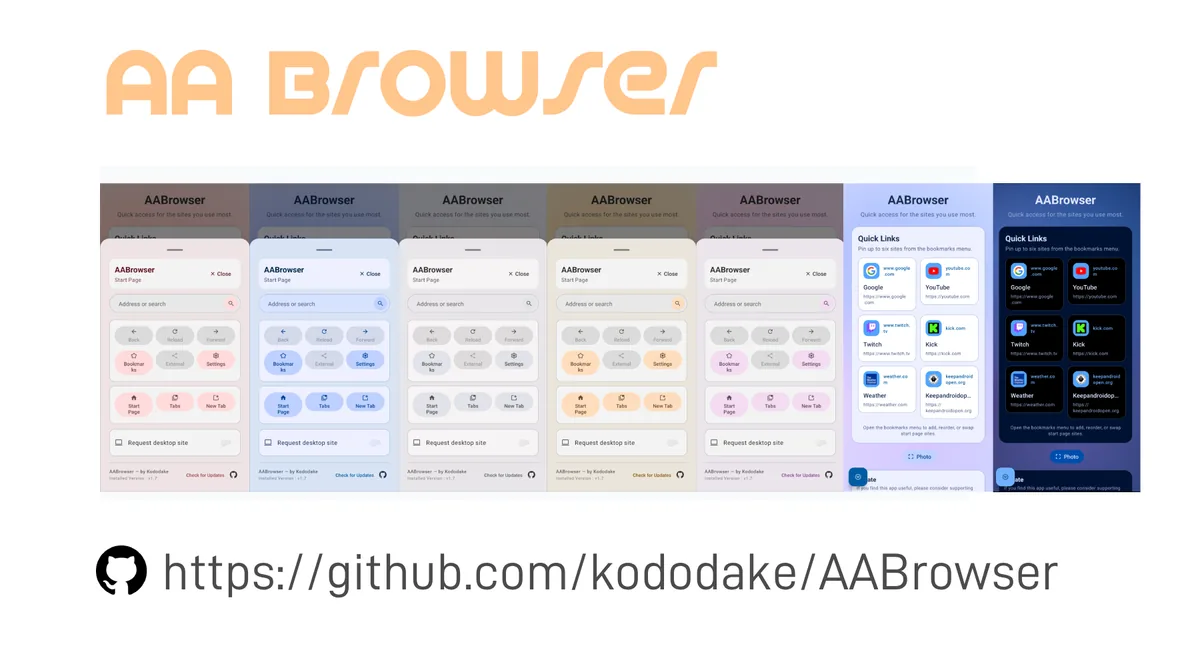
AA Browser is relevant to this topic because people often use browser, YouTube, mirroring and Android Auto as if they were one product category. They are not. AA Browser's current verified v2.2 release requires Android 15 / API 35 or later; its official asset is AABrowser-2.2.apk, and the site's download pages keep the source at GitHub. Those facts describe the app's identity and compatibility, not a promise of full-screen mirroring.
The project's official issue tracker also keeps screen mirroring as a distinct feature request rather than silently claiming that the existing browser is a mirror. If you need to investigate that project-specific question, read the official issue discussion and separate current release behavior from future requests.
Unknown sources can affect discovery of a compatible sideloaded automotive app, but it cannot turn an ordinary app into a mirror, lower an APK's Android minimum, or certify a third-party download.
Dedicated browser
AA Browser provides its own tabs, bookmarks, themes, scaling and web navigation on a compatible automotive display.
Not a phone mirror
It does not copy the phone home screen, notifications or arbitrary mobile apps to the vehicle display.
Separate source
Use the official kododake/AABrowser GitHub project and Release metadata; a third-party mirror is not the same source.
Parked setup
Install, configure and test it while safely parked or with a passenger operating the phone where local rules allow.
Match the symptom to the right guide
A working app projection does not prove that a full screen mirror should work, and a failed website does not prove that the car display cannot mirror. Treat install, discovery, launch, display output, web loading and driving state as separate checkpoints. This is especially important when an adapter or community tool uses the Android Auto name for a feature it controls outside the official projection path.
If you report a reproducible issue, include the exact phone Android version, Android Auto version, vehicle or head-unit model, adapter firmware, connection mode and stage of failure. Remove private URLs, account information and identifying vehicle details before posting publicly.
| Observed state | Likely layer | Next check |
|---|---|---|
| One supported app appears | Android Auto app projection | Use the app's own settings and Customize launcher |
| The whole phone never appears | Mirroring capability | Check the exact head unit or adapter documentation; do not expect a universal Android Auto toggle |
| AA Browser APK will not install | Android package | Read the APK installation guide and verify Android 15 / API 35 |
| AA Browser installs but is missing | Android Auto discovery | Use the missing-app guide and check Developer settings only for the relevant compatible app |
| A page opens but video fails | WebView, network, DRM or site | Use the YouTube on Android Auto guide; do not label it a mirroring failure |
| Only moving-vehicle behavior changes | Driving-state restriction | Stop and use the parked troubleshooting guide |
What screen mirroring cannot override
The safest decision is usually the narrowest one: use a supported Android Auto app for an app task, use a documented adapter feature for a mirror task, or use AA Browser when a dedicated automotive browser is the real need. If the feature depends on bypassing motion controls or hiding its source, stop and reassess before installing anything.
For related compatibility questions, continue to the AA Browser on Android Auto guide, the Developer settings guide, or the official-source verification guide.
- It cannot make an unsupported phone app safe or eligible for Android Auto.
- It cannot turn Android Auto Developer settings into a general permission for every screen or package.
- It cannot guarantee touch control, audio routing, low latency, DRM playback, login support or compatibility with every vehicle.
- It cannot make a moving-vehicle browsing or video workflow acceptable. Configure and test while parked, or have a passenger operate the phone where local law permits.
- It cannot make a modified, cracked, re-signed or mirror-hosted APK equivalent to the official project release.
Android Auto Screen Mirror FAQ
Can Android Auto mirror the entire phone screen?
Not as a universal Android Auto setting. Standard Android Auto is built around supported app experiences. Full-screen mirroring, when available, is usually a separate head-unit, adapter or third-party capability with its own restrictions.
What is the difference between screen mirroring and Android Auto app projection?
App projection sends one eligible app's car-friendly experience to the display. Screen mirroring attempts to reproduce a broader phone screen. A successful supported app does not prove that full mirroring is available.
Does Android Auto Developer settings enable screen mirroring?
No. Developer settings can expose advanced controls and, in limited cases, Unknown sources for a compatible sideloaded automotive app. They do not make every phone app eligible or create a general mirror mode.
Is AA Browser a screen-mirroring app?
No. AA Browser is a dedicated automotive browser. The verified v2.2 release requires Android 15 / API 35 or later and provides its own web interface; it does not copy the phone home screen or arbitrary apps.
Can I use screen mirroring while driving?
Configure and test screen or app behavior while safely parked. A mirror feature does not override driving-state restrictions, traffic law, vehicle rules or the need to keep the driver's attention on the road.
Why does a wireless adapter advertise Android Auto screen mirroring?
The adapter may provide a separate mirroring function in addition to Android Auto connectivity. Check the exact model's documentation, supported phones, firmware, touch behavior, audio path and parked-use limits instead of treating the listing as a universal Android Auto feature.