What is an Android Auto wireless adapter?
It removes the cable between a compatible phone and car, but it does not replace Android Auto itself.
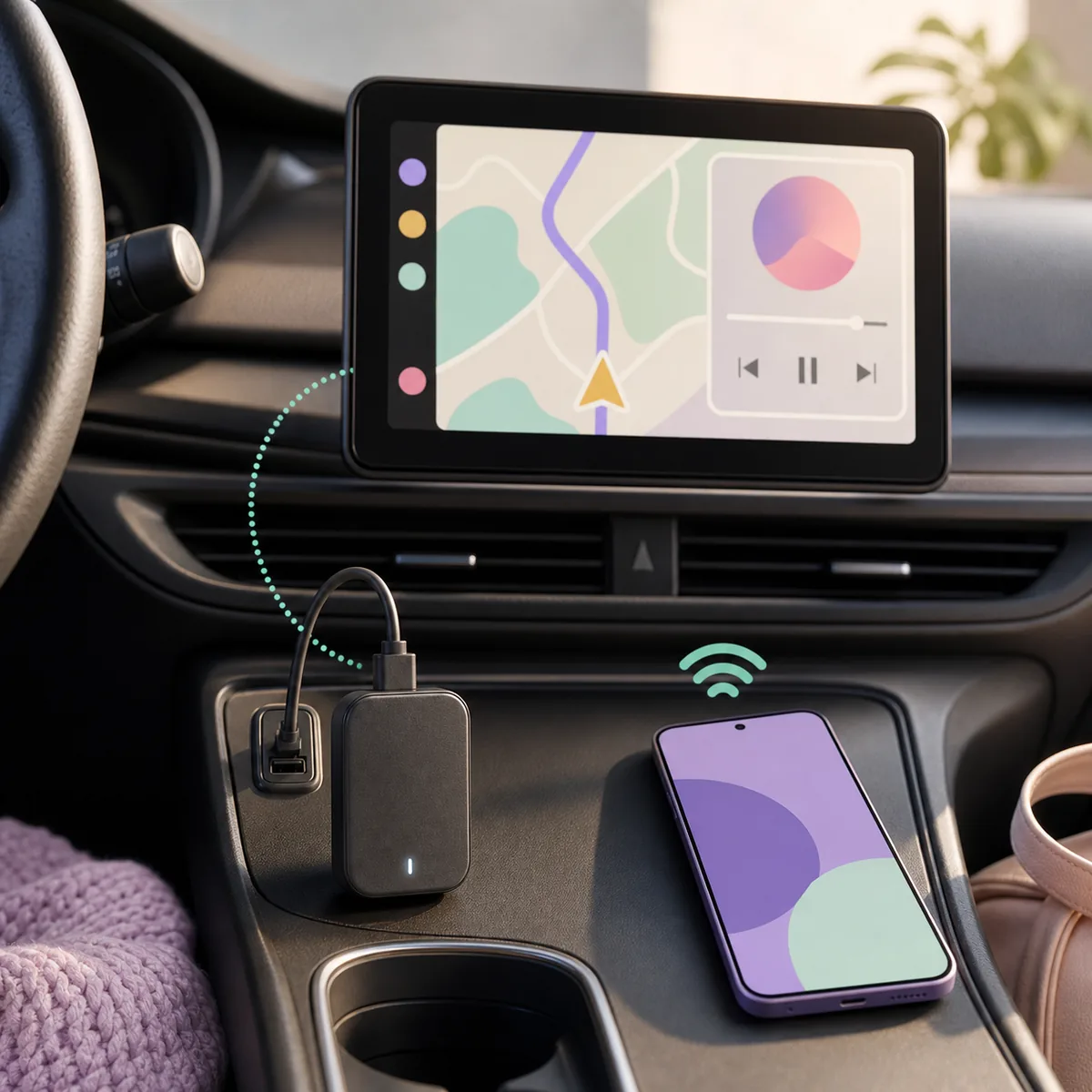
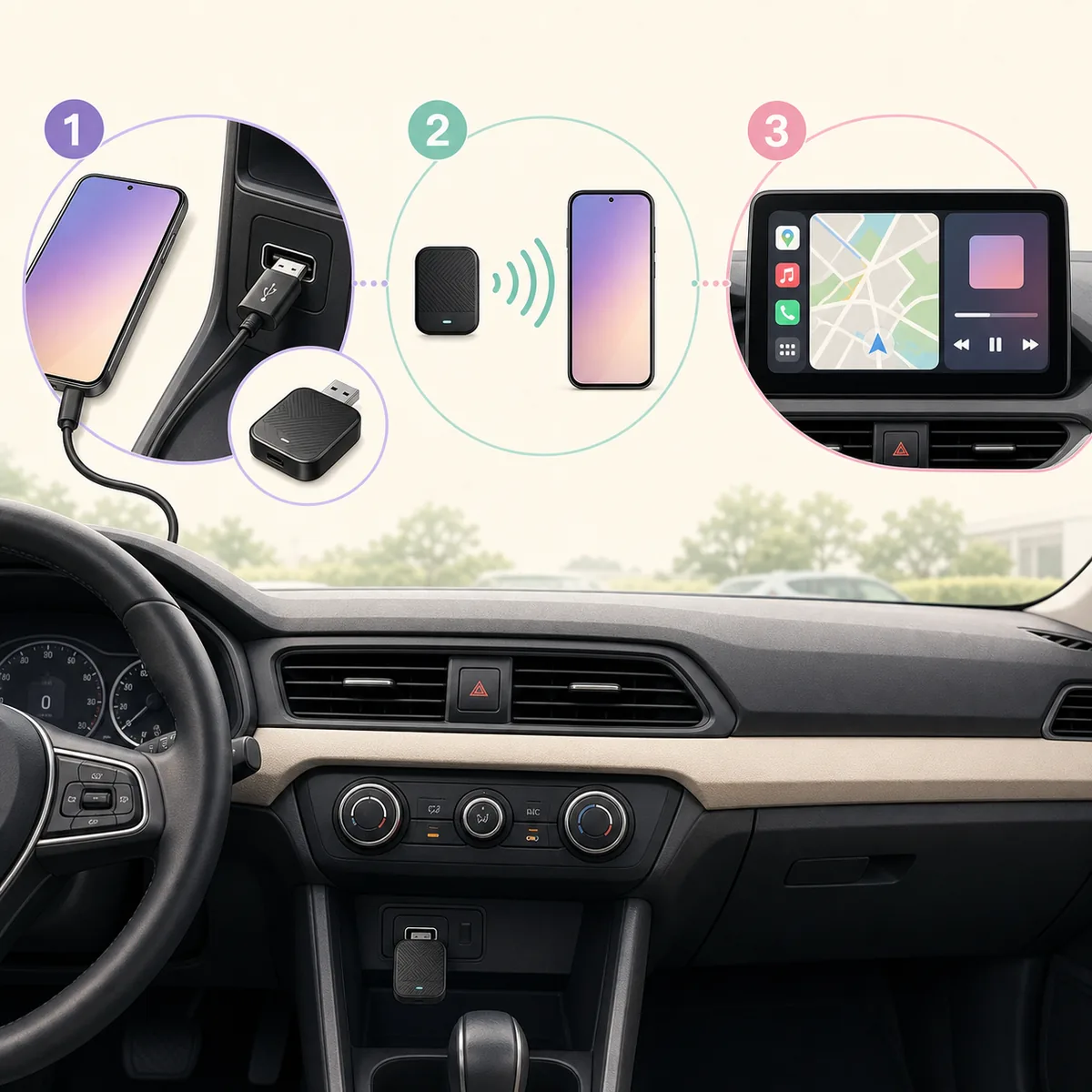
An Android Auto wireless adapter, sometimes called a wireless Android Auto adapter or Android Auto dongle, plugs into the car's USB data port. Your phone then pairs with the adapter instead of staying connected by a cable. The adapter presents the wireless session to the vehicle as the wired Android Auto connection it already understands.
That boundary is the most important buying fact. Google’s official Android Auto requirements and the adapter maker’s documentation should be checked together. A dongle cannot make a CarPlay-only head unit support Android Auto, fix a USB port that carries power but no data, or make an unsupported phone eligible.
Wireless adapters also do not turn a normal phone browser, a video app, or the whole handset into an official car-screen experience. They change the connection path. App eligibility, parked-app behavior, display restrictions, WebView limits, and driving-state rules still belong to Android Auto, the vehicle, the phone and the app.
Prove that wired Android Auto works first. If the wired connection fails, troubleshoot the phone, cable, USB port, vehicle and Android Auto before buying a wireless adapter.
Will a wireless Android Auto adapter work with your car?
The quickest answer comes from five checks, not from a product title that says “universal.”
Start with a short wired test: use the same phone, vehicle, USB socket and Android Auto account that you plan to use with the adapter. If the car does not show Android Auto by cable, the wireless bridge has no stable foundation to inherit. This single test prevents many returns caused by buying a dongle for a head unit that only supports phone charging or Apple CarPlay.
If the vehicle has more than one USB socket, test the port that the manual identifies for smartphone data. Check whether a hub, extension cable or USB-C conversion changes the result. A wireless adapter still needs power and a data handshake at the vehicle side even though the phone-to-adapter link is wireless.
For third-party products, read the manufacturer’s compatibility list and support documentation rather than relying on a marketplace badge. The AAWireless support centre is a useful example of why adapter setup and compatibility are documented as their own layer. Treat a model-specific list, firmware note or return policy as more useful than the word “universal.”
| Check | What you need | Why it matters |
|---|---|---|
| Wired Android Auto | The car and phone complete a normal wired Android Auto session | Most bridge-style adapters depend on this existing capability |
| USB data port | A compatible USB port and a short, reliable cable | A power-only port can light the adapter without carrying the Android Auto data session |
| Phone support | A current Android Auto-compatible Android phone and account setup | The adapter cannot bypass phone, region, account or operating-system limits |
| Connection mode | The product explicitly lists Android Auto, not only Apple CarPlay | CarPlay and Android Auto are related but not interchangeable requirements |
| Feature claim | Wireless projection, audio and calls are documented separately from mirroring | Screen mirroring, video playback and touch-back may be separate features or unsupported |
How to choose the best Android Auto wireless adapter
The best wireless Android Auto adapter is the one that matches your exact car, phone and connection problem—not the one with the longest feature list.
Searches for best wireless Android Auto adapter often mix bridge dongles, full Android boxes, CarPlay converters and video-bypass devices. Those products can have very different jobs. A bridge adapter keeps the normal Android Auto experience and removes the phone cable. An Android box may run a separate operating system. A video-bypass accessory makes a different claim entirely and should not be treated as ordinary wireless setup.
For a normal daily commute, prioritize stable reconnection, clear firmware support, low setup friction and a documented fit for the vehicle. If the only reason to buy a product is a promise of unrestricted video, phone mirroring or use while moving, stop and verify the exact feature, legal context and safety limitation. The phrase Android Auto wireless is not evidence that every advertised feature comes from Google or works in every car.
- Confirm that your head unit supports wired Android Auto and that the adapter lists your Android Auto path explicitly.
- Choose the connector and cable you can actually use: USB-A, USB-C, a data-capable cable, and enough room around the port for the adapter body.
- Look for documented auto-reconnect, firmware updates and a reset method. These matter more than a decorative LED or an unverified speed claim.
- Check whether the adapter supports only Android Auto or also CarPlay. A 2-in-1 label is useful only when the documentation explains both modes and their limits.
- Review return support, vehicle-specific notes and recent firmware information before buying. A return policy is important when the car's head unit is an unusual or factory-integrated system.
Match the car
Start with the factory head unit and the USB port that already completes wired Android Auto.
Match the phone
Confirm Android Auto compatibility, account setup, operating-system support and the phone case or cable fit.
Match the routine
Prefer auto-reconnect, firmware notes and a practical reset path over novelty features.
Match the claim
Separate wireless projection from screen mirroring, video, touch-back and driving-state promises.
How to set up an Android Auto wireless adapter
Do the first pairing at home or while safely parked, with one variable changed at a time.
A successful pairing does not require the adapter to imitate a full phone screen. You should see the familiar Android Auto experience with supported apps and controls. If a product opens a separate launcher or asks you to install an unrelated media package, pause and verify which product mode you are using.
The setup order also creates useful troubleshooting evidence. Record the phone model and Android version, car and head-unit model, USB port, adapter firmware, connection mode and the exact stage that fails. “It does not work” is much harder to diagnose than “wired Android Auto works, Bluetooth pairs, but the dashboard returns to the factory menu after 20 seconds.”
- 1
Prove the wired session
Connect the phone directly to the vehicle with a known data cable. Confirm that Android Auto opens, navigation or audio works, and the car can reconnect after a short disconnect.
- 2
Remove the old direct pairing
Disconnect the cable and follow the adapter's instructions for Bluetooth pairing. If the phone remembers an earlier adapter or vehicle entry, remove only the stale entry you are troubleshooting rather than resetting every network setting immediately.
- 3
Plug the adapter into the data port
Use the same vehicle USB socket that passed the wired test. Wait for the adapter indicator and the phone's Bluetooth prompt, then accept the Android Auto permissions shown by the phone.
- 4
Complete the first wireless connection
Keep the phone unlocked for the initial setup, allow the documented permissions, and wait for the car display to show the normal Android Auto launcher. Do not test a new app, new cable and new adapter at the same time.
- 5
Test before driving
Check one navigation route, one audio action, a call handoff and one reconnect after turning the car off and on. Update firmware only through the maker's documented process, and record the result before changing another setting.
Wireless Android Auto adapter problems by failure stage
Match the symptom to the layer that can actually cause it.
Resetting the phone's Wi-Fi, Bluetooth or Android Auto data can remove useful evidence, so do it only after the basic wired test and the adapter's documented reset path. If the wired session is unstable, fixing that baseline usually provides more value than changing wireless channels or installing a second companion app.
If the adapter works in one vehicle but not another, treat that as compatibility evidence rather than proof that the hardware is defective. Factory head units, USB power behavior, firmware, phone models and regional software rollouts can change the result. Keep the adapter's purchase and return information until the complete parked test is finished.
| Symptom | Likely layer | Next check |
|---|---|---|
| No Android Auto by cable or wireless | Vehicle, port, phone or account | Return to the wired test and confirm the exact data port before changing adapter settings |
| Adapter powers on but is not discovered | USB data, Bluetooth pairing or first-run permissions | Use the maker's reset/pairing steps and keep the phone unlocked for the first session |
| Connects, then drops | Cable, power, firmware, interference or auto-reconnect | Try a short data cable, update through the official support path and compare one vehicle port |
| Audio works but an app is missing | Android Auto app eligibility or launcher settings | Use the Android Auto guide or app launcher settings; the adapter does not add arbitrary apps |
| The product promises a full phone mirror | Separate mirroring feature or marketing claim | Read the exact head-unit/adapter documentation and use the screen-mirroring guide |
Does a wireless adapter mirror the whole phone?
Usually not. Wireless projection and full-screen mirroring are different capabilities.
A bridge adapter normally carries the Android Auto session that the vehicle already supports. It does not automatically expose the phone home screen, notifications, arbitrary browser tabs or every video app. Some products advertise a separate casting or mirroring mode, but that mode belongs to the specific product and head unit—not to the phrase “wireless Android Auto adapter” by itself.
If your goal is a dedicated browser on a compatible car display, read the AA Browser on Android Auto guide. AA Browser is its own automotive app and a verified APK source; it is not a screen mirror. If your goal is the entire phone display, compare the exact adapter or head-unit documentation and the parked-use restrictions in the Android Auto screen mirror guide.
A normal Android Auto adapter can remove a cable while preserving supported app projection. It cannot promise unrestricted video, touch-back, DRM playback or safe use while a vehicle is moving.
What an Android Auto wireless adapter cannot override
The safest purchase decision is the narrowest one: buy a documented wireless bridge when wired Android Auto already works and the real problem is the cable. If the goal is screen mirroring, video or a different operating system on the car display, evaluate that separate product category instead of assuming a wireless dongle will do it.
For AA Browser users, the adapter changes the connection path but not the app's Android and Android Auto requirements. If the app is missing from the launcher, follow the missing-app checklist; if the APK will not install, use the installation-failure guide; if source authenticity matters, verify the official GitHub release.
- It cannot make a car with no wired Android Auto foundation compatible with a bridge-style adapter.
- It cannot turn a power-only USB socket into a data connection or repair a damaged cable.
- It cannot make an unsupported app, browser, video service or APK an official Android Auto experience.
- It cannot guarantee low latency, touch control, DRM playback, account login, roaming behavior or compatibility with every vehicle.
- It cannot make browsing, video or troubleshooting while driving safe. Configure and test only while parked or with a passenger operating the phone where local rules allow.
Android Auto Wireless Adapter FAQ
Does an Android Auto wireless adapter work with any car?
No. Most bridge-style adapters require the car and phone to complete wired Android Auto first. Check the exact vehicle, head unit, USB data port, phone and adapter documentation before buying.
Is a wireless Android Auto adapter the same as a screen-mirroring adapter?
No. A wireless Android Auto adapter normally removes the phone cable while preserving supported Android Auto projection. A separate mirroring mode, if offered, depends on the exact product and head unit and has its own limitations.
How do I set up an Android Auto wireless adapter?
First prove wired Android Auto, then plug the adapter into the same data-capable USB port, pair the phone according to the maker's instructions, accept Android Auto permissions, and test navigation, audio and reconnect behavior while parked.
Do I need an adapter if my car already supports wireless Android Auto?
Usually not. If the factory system already provides the wireless Android Auto experience you need, an extra bridge may add complexity without solving a real problem. Check whether your issue is app discovery, the launcher or the phone rather than the connection cable.
Why does my wireless Android Auto adapter keep disconnecting?
Common causes include an unreliable USB data cable or port, power behavior, firmware, Bluetooth pairing, wireless interference, phone battery restrictions and vehicle-specific compatibility. Reproduce the issue after confirming the wired baseline and record the exact failure stage.
Will an Android Auto wireless adapter make AA Browser or another browser appear?
Not by itself. The adapter changes the connection path; app eligibility and Android Auto launcher discovery remain separate. For AA Browser, check Android compatibility, installation, Developer settings and the launcher-specific troubleshooting steps.
Can I use an Android Auto wireless adapter while driving?
Configure and test it while safely parked. A wireless connection does not override traffic law, vehicle restrictions or the need for the driver to keep attention on the road.